
CASE STUDY
Unity
One row per beneficiary. Seven kinds of file underneath it.
SECTOR — MENTAL HEALTH · STACK — FIREBASE-HOSTED CLIENT APP, ALGOLIA SEARCH · SCALE — LIVE, 25,000+ RECORDS, 110,000+ FILES · PARTNER — TASKEEN
§ PROBLEM
Taskeen runs a helpline and a clinical practice. A beneficiary who calls once becomes a case with a call date, a session count, and a history that keeps growing. A case is also not one form: intake, clinical follow-up, evaluation, eligibility and impact assessment — seven kinds of document gathered under one person. Split across tools, a record like that is only ever as complete as whoever assembled it last.
§ THE BUILD
Unity is one register with the clinical file folded inside it. A beneficiary is a row — Taskeen ID, call date, session status, red flags, mental-health status, and both the initial and the current psychologist, so reassignment is data rather than a note. Open a row and the case file unfolds under it, seven typed sub-files deep. Around the register sit a session calendar in four views, a capacity ledger keeping initial and follow-up availability apart, access that is role-based and record-scoped, and a cross-tabulation builder over 27 reportable dimensions. Dost, the retrieval layer, makes Taskeen’s protocol modules searchable in plain language.
§ OUTCOME
The production register holds 25,000+ beneficiary records and 110,000+ files once sub-files are counted. A row summarises, the case file carries the depth, and every row names who changed it last. Reporting runs over the register’s own 27 fields, so an aggregate is a count of the entries the team actually made rather than a re-keyed summary. A helpline call and every session after it are one record, not two.
RECORDED IN THE DEVELOPMENT ENVIRONMENT · PICK A STEP TO JUMP TO IT
FEATURE SET
THE RECORD
01
One register, every beneficiary
Every beneficiary is one row under a Taskeen ID, carrying call date, reporter, session count, mental-health status and red-flag chips. Search, per-column filters, a flag filter and export sit in the same toolbar.
ONE ROW PER CASE · TEN A PAGE · BULK PERMISSION
02
Seven kinds of sub-file
A case file is a folder, not a form. Under each one sit seven sub-file types: the initial patient file, psychologist and psychiatric follow-ups, therapy evaluations, psychiatric evaluation, financial eligibility and the impact evaluation tool.
SEVEN TYPES · FOLLOW-UPS ACCUMULATE PER CASE
03
The intake instrument
The initial patient file runs to roughly thirty fields — multi-select distress sources and psychological, physical and social symptom domains, then an eight-item yes/no risk screen, each item captioned to be written into the case details. Gated branches open only where an answer needs them.
TASKEEN’S OWN INSTRUMENT · GATED BRANCHES
04
Both psychologists, on the row
A record carries the psychologist who took the case and the psychologist who holds it now, so a handover is queryable instead of remembered. A Last Updated By column puts the audit trail on the surface of the register.
REASSIGNMENT KEPT AS DATA · LAST EDITOR ON EVERY ROW
05
Search shows its own sync state
Search is Algolia-backed and answers from two characters up. Above the register sits the index’s own state: Syncing, then a Last Updated timestamp, so nobody has to guess whether what they are reading is current.
ALGOLIA · MIN 2 CHARACTERS · SYNC READOUT ON THE PAGE
THE PRACTICE
06
Four views onto one schedule
The calendar renders month, week, day and agenda from the same appointments, with a live current-time marker and today’s column highlighted. A clinician roster toggles each person’s sessions in or out, and events are searchable by Taskeen ID, name or contact.
MONTH · WEEK · DAY · AGENDA · PER-CLINICIAN TOGGLES
07
The capacity ledger
Availability is planned by date, with initial sessions and follow-up sessions planned separately rather than pooled into one number. Cancellations sit beside capacity, and the ledger reports utilisation as a percentage instead of leaving it to be worked out.
ADD AND EDIT PER DATE · FILTERABLE · UTILISATION %
08
The line that changes with the day
A rotating epigraph from the clinical canon sits in the header of every screen and on the sign-in page, changing with the day. On a system whose columns are risk flags and crisis screens, it is the one element that is not data, and it is there on purpose.
HEADER AND SIGN-IN · ROTATES DAILY
09
Light, dark, and three densities
The interface carries a Sukoon token layer with a light and a dark theme and three row densities. On a helpline that runs into the evening, and for a coordinator reading a register all day, that is an ergonomic decision rather than a preference.
LIGHT · DARK · COMPACT, REGULAR OR COMFY
10
Role-based, then scoped per record
Account types set what a person can reach: super admin, psychologist and practitioner. Permissions apply per case file on top of that, in bulk where a caseload moves at once. Sign-in is Google only, restricted to the Taskeen team.
ROLE-BASED AND RECORD-SCOPED · GOOGLE SSO ONLY
THE ANSWERS
11
Statistics, cross-tabulated
Pick a primary field, optionally a secondary one, and Statistics returns the distribution as a chart with its record count — pie for single-value fields, bars for multi-select. Date range, initial and current psychologist, partner and a percentage threshold narrow the set first.
27 DIMENSIONS — 11 DEMOGRAPHIC · 11 CLINICAL · 5 OPERATIONAL
12
Protocol modules, vectorised
Ten of Taskeen’s own operating protocols are uploaded as PDFs, processed for vectorisation and marked ready. A Modify Base Prompt control puts the system prompt on the surface rather than in the code, editable inside the product.
PDF ONLY · 10 MB PER FILE · EDITABLE BASE PROMPT
13
Dost, over the protocol corpus
Dost Chat is a retrieval assistant over that corpus: a clinician asks a question in plain language, and the assistant searches the uploaded modules for the passage that answers it. The name is the Urdu word for friend or companion.
RETRIEVAL OVER THE UPLOADED CORPUS · CLEAR CHAT TO RESET
SURFACES
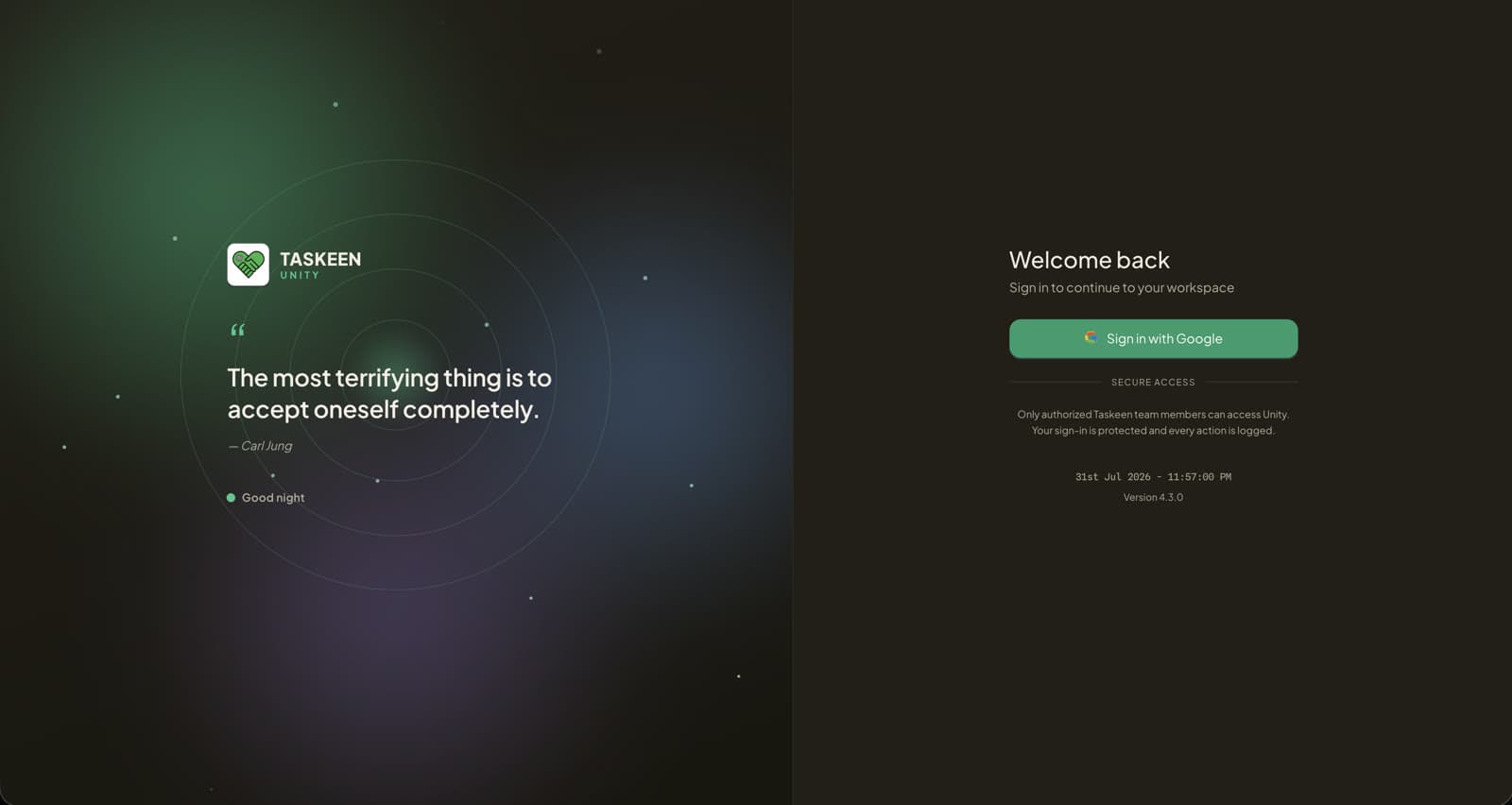
SIGN IN — THE DAY’S EPIGRAPH, THEN GOOGLE SSO
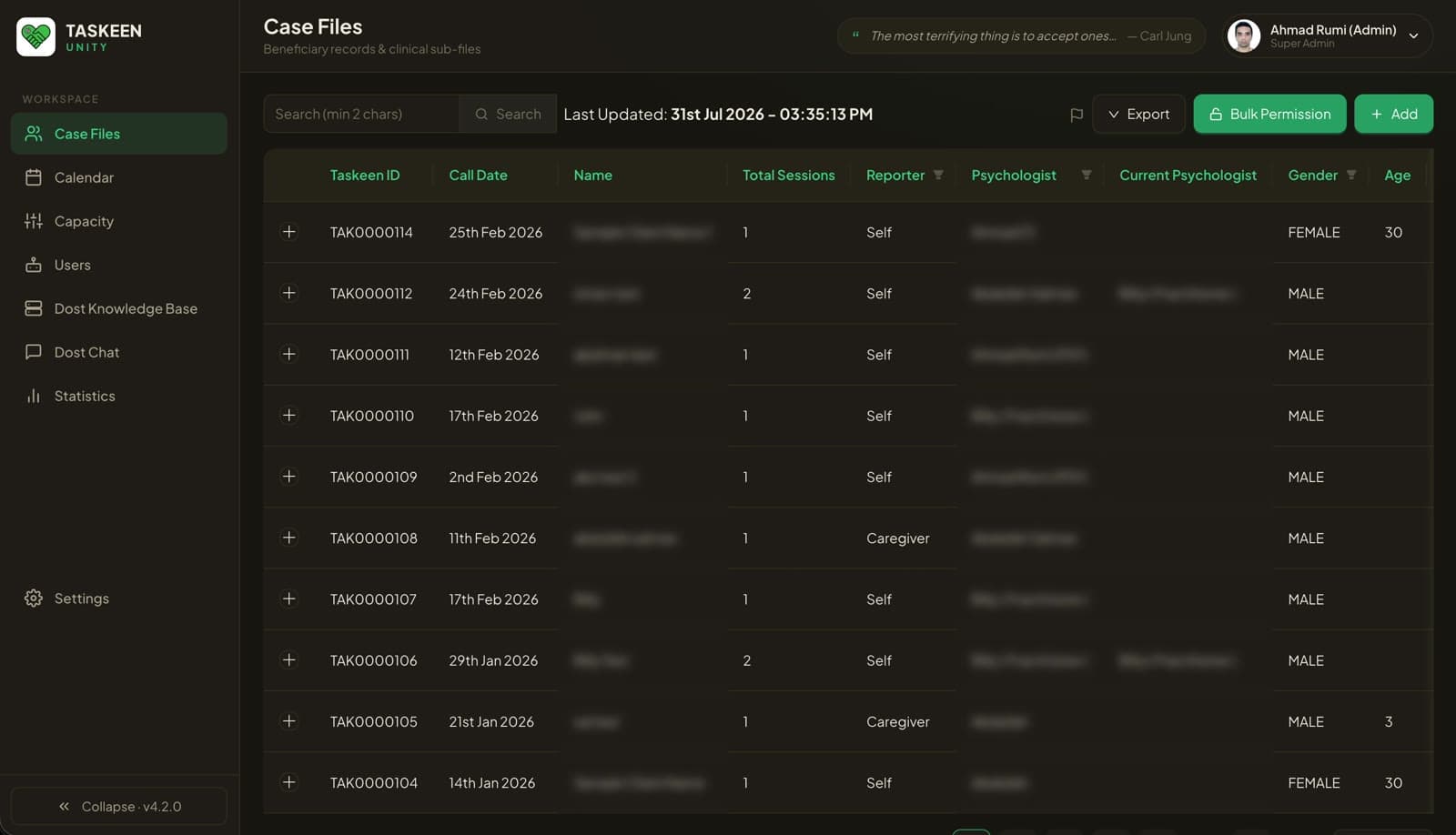
THE REGISTER — DEV ENVIRONMENT, NAMES REDACTED
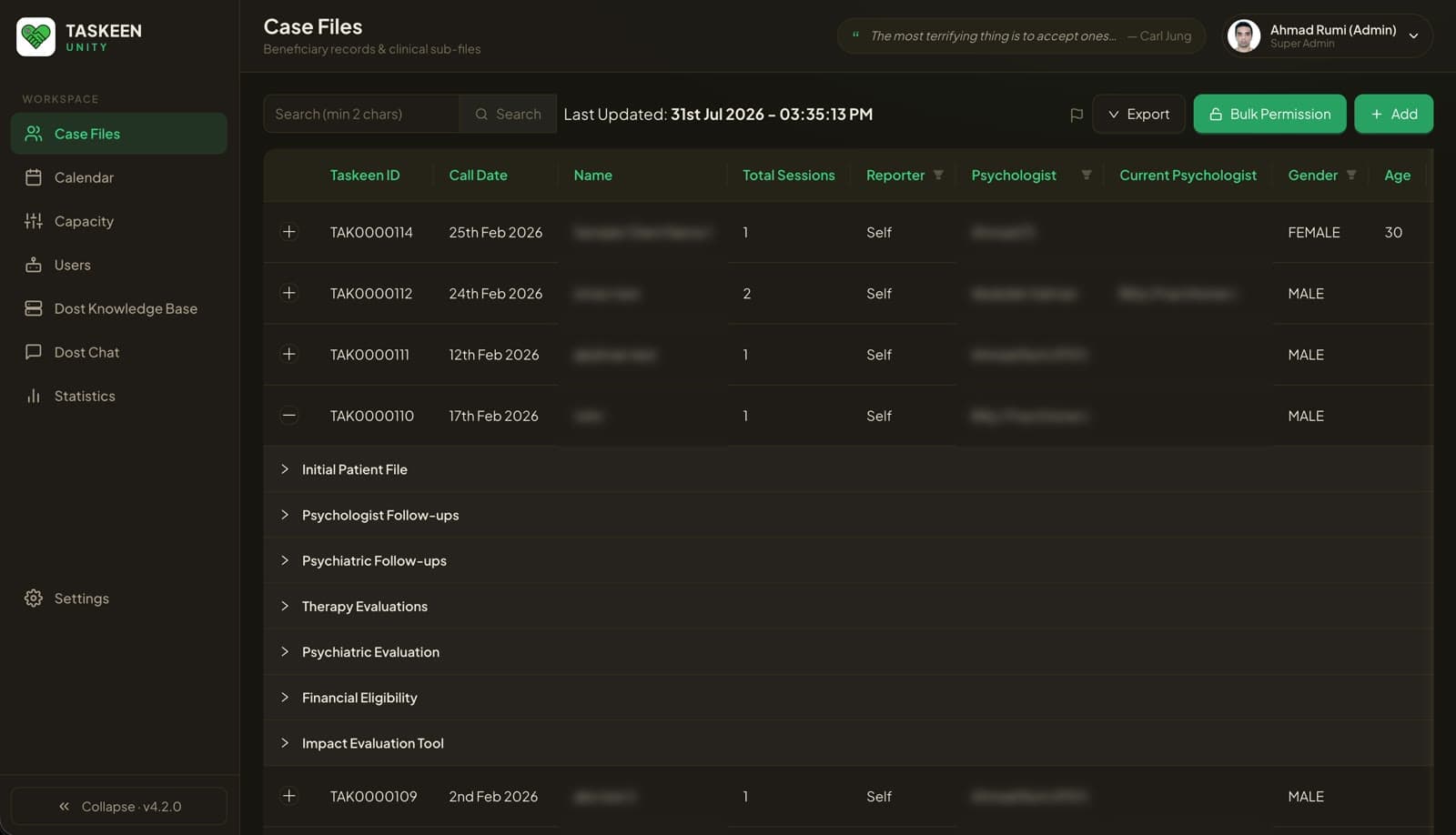
ONE CASE, ALL SEVEN SUB-FILE TYPES
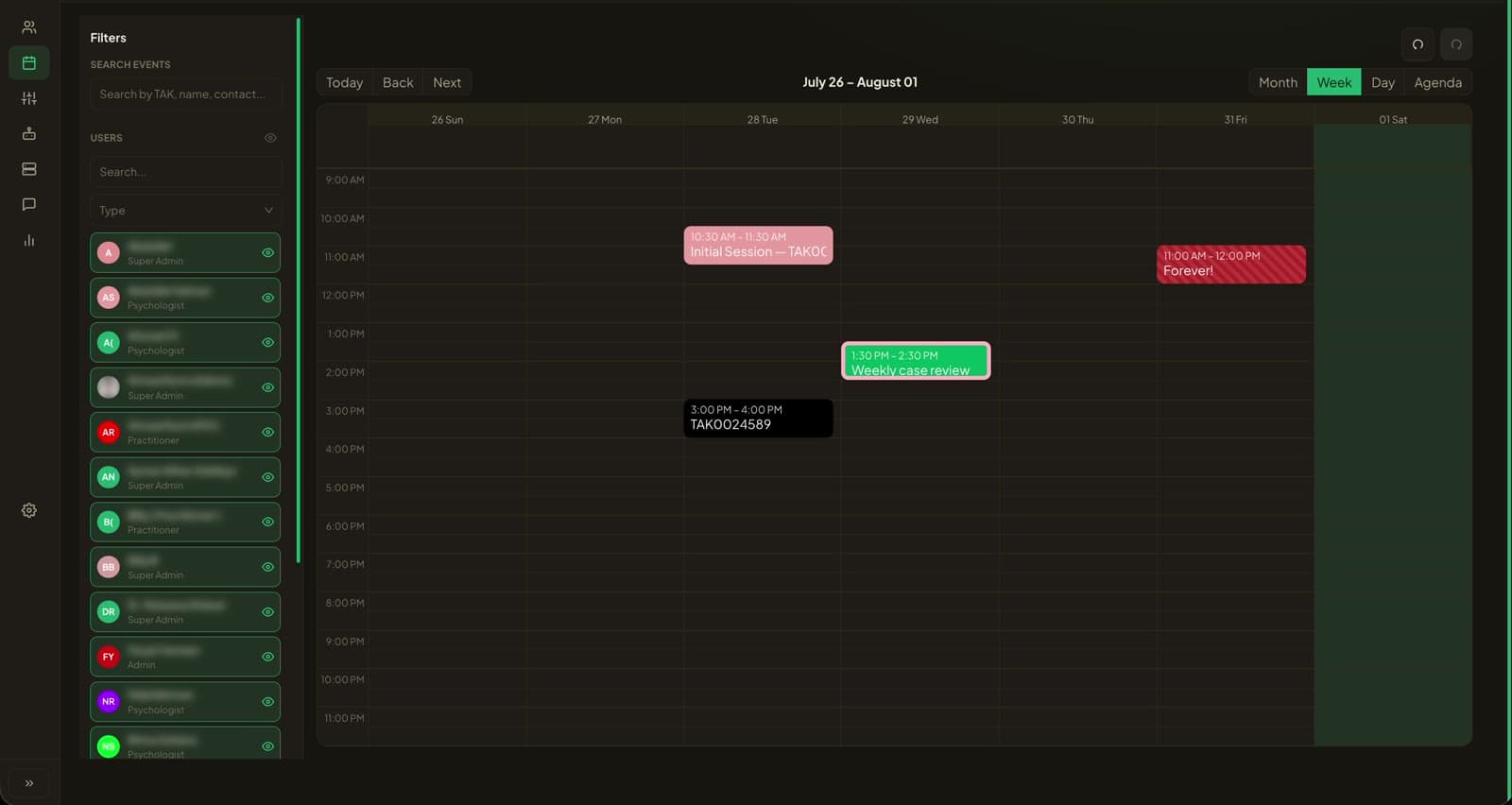
WEEK VIEW — SESSIONS COLOUR-CODED BY TYPE
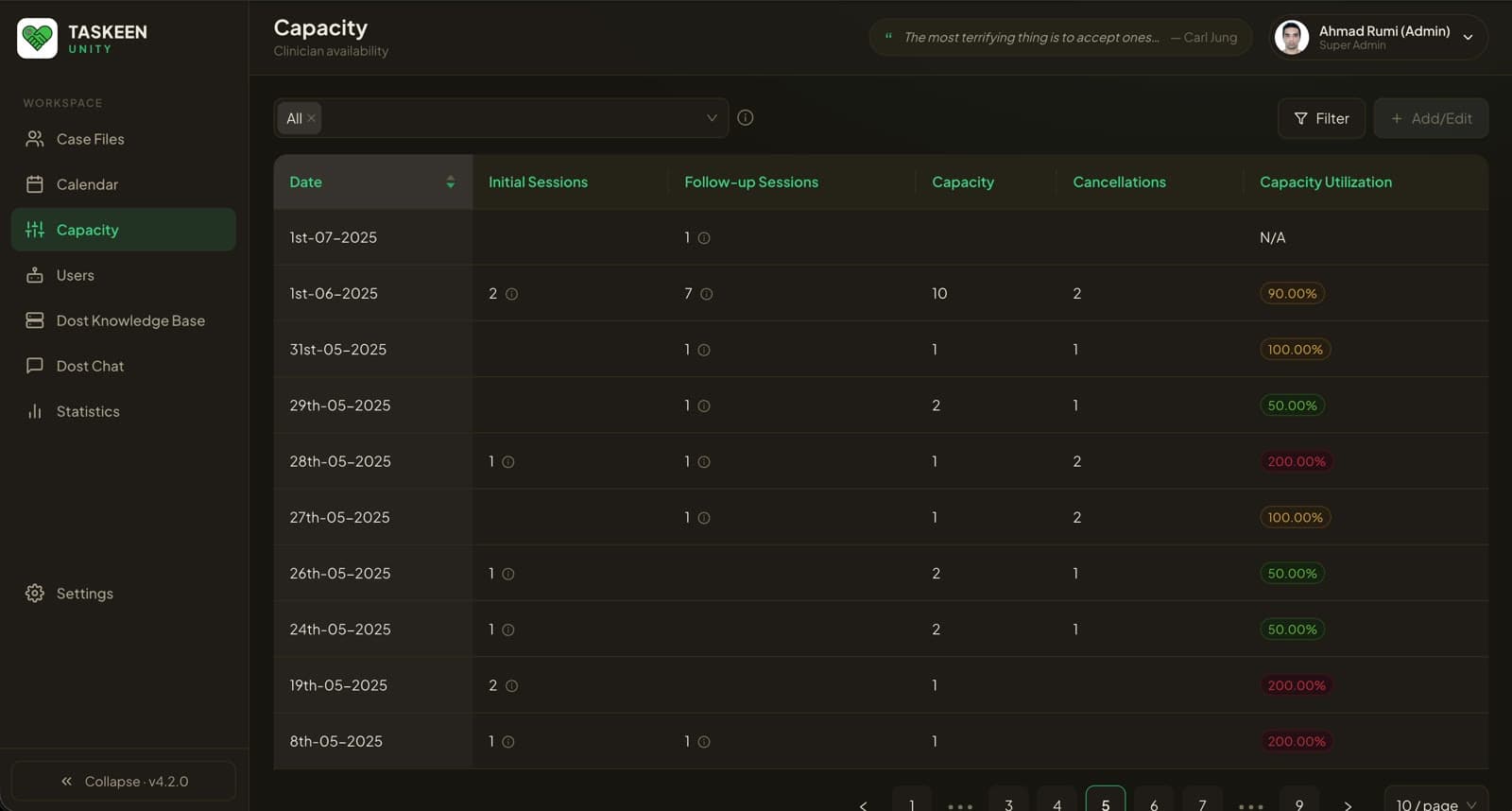
AVAILABILITY — INITIAL AND FOLLOW-UP APART
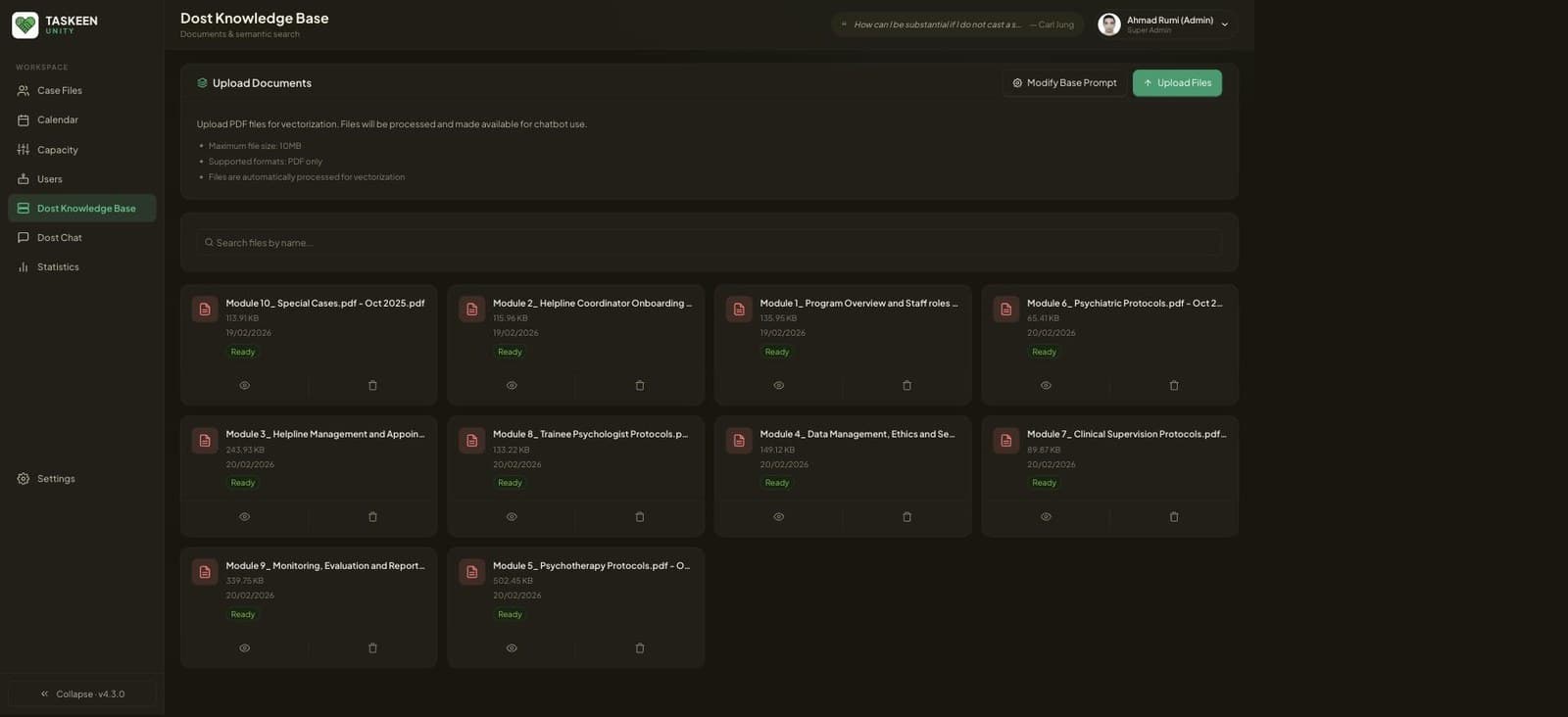
KNOWLEDGE BASE — THE OPERATING MANUAL, VECTORISED
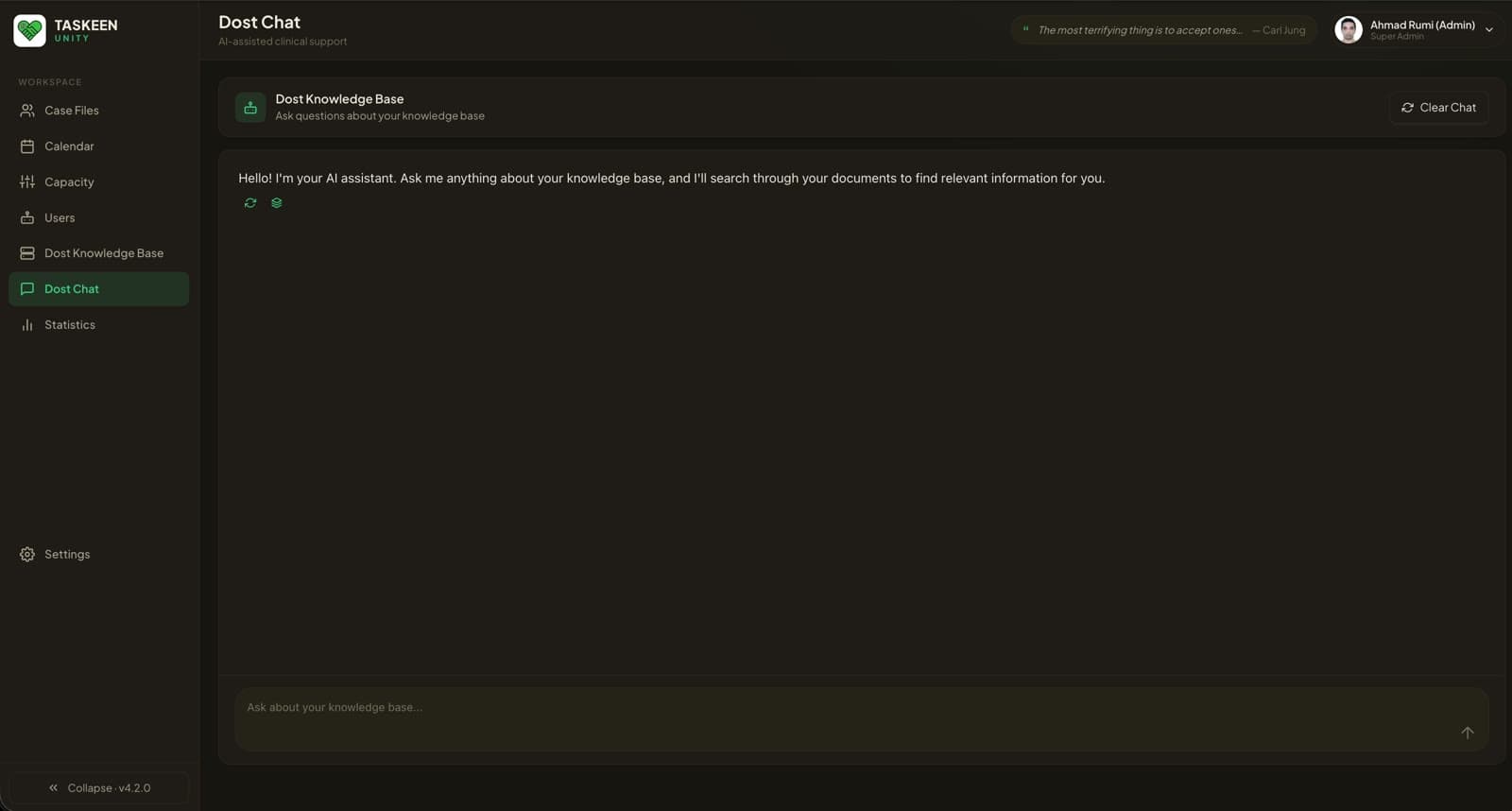
DOST — RETRIEVAL OVER THE PROTOCOL CORPUS
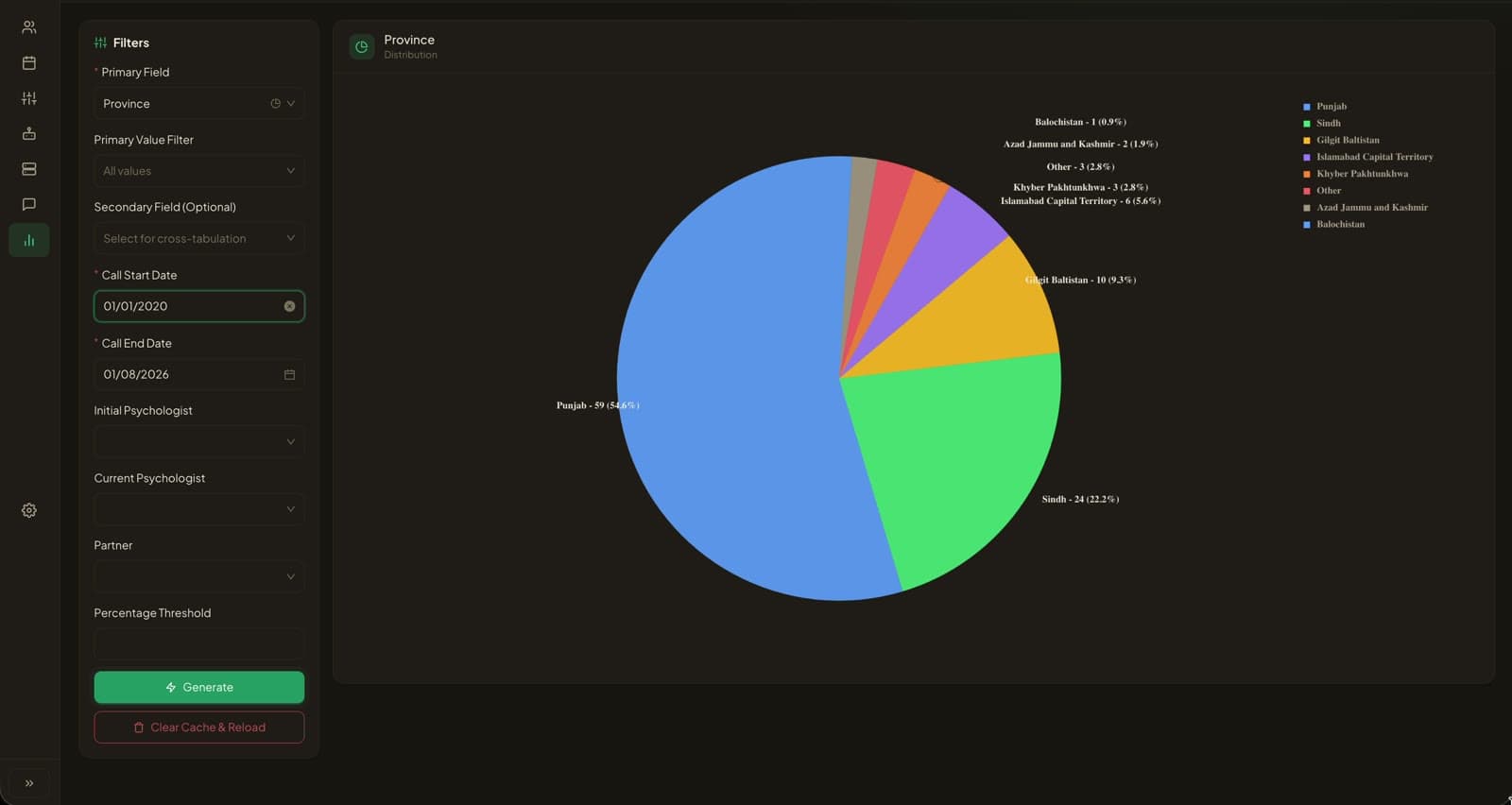
A DISTRIBUTION, BUILT ON DEMAND · DEV ENVIRONMENT
SYSTEM ANATOMY
THE STACK — AS BUILT
- INTERFACE
- antd component base · per-column register filters, ten rows a page
- DESIGN SYSTEM
- Sukoon token layer · light and dark themes, three density settings
- SEARCH
- Algolia · two-character minimum, sync stamped above the register
- RETRIEVAL
- PDFs vectorised on upload · retrieval chat · editable base prompt
- IDENTITY
- Google SSO only · sign-in logged, last editor named on the record
- ACCESS
- Super Admin · Psychologist · Practitioner · also per case file
- REPORTING
- Cross-tabulation across 27 dimensions · chart form follows the field
- HOSTING
- Firebase · client-side application, Firebase Hosting
BUILD RECORD
PHASE 01
The register
Beneficiary records in one filterable ledger: Taskeen ID, call date, session status, red flags. Both psychologists stay on the row, the one who took the case and the one who holds it now.
PHASE 02
The clinical file
Seven sub-file types per case, from the initial intake through psychologist and psychiatric follow-ups to financial eligibility and impact evaluation. The intake carries Taskeen’s own risk-screening section, noted down in case details.
PHASE 03
Schedule and capacity
Sessions in month, week, day and agenda views, searchable by Taskeen ID, name or contact. Beside it a capacity ledger that keeps initial and follow-up availability apart, reporting capacity, cancellations and utilisation per date.
PHASE 04
Dost, the retrieval layer
Ten operational and clinical protocol modules vectorised into a knowledge base, and an assistant that answers over that corpus. The base prompt is editable inside the product.
PHASE 05
Reporting
A cross-tabulation builder over 27 demographic, clinical and operational dimensions, with a percentage threshold and a chart form that follows the field type.
BENEFICIARY RECORDS IN PRODUCTION
TOTAL FILES, SUB-FILES INCLUDED
SUB-FILE TYPES PER CASE
REPORTABLE DIMENSIONS
NEXT SYSTEM
WhatsApp ChatbotWhatsApp Chatbot